
Ecommerce website redesign: modernize your store without losing sales or SEO
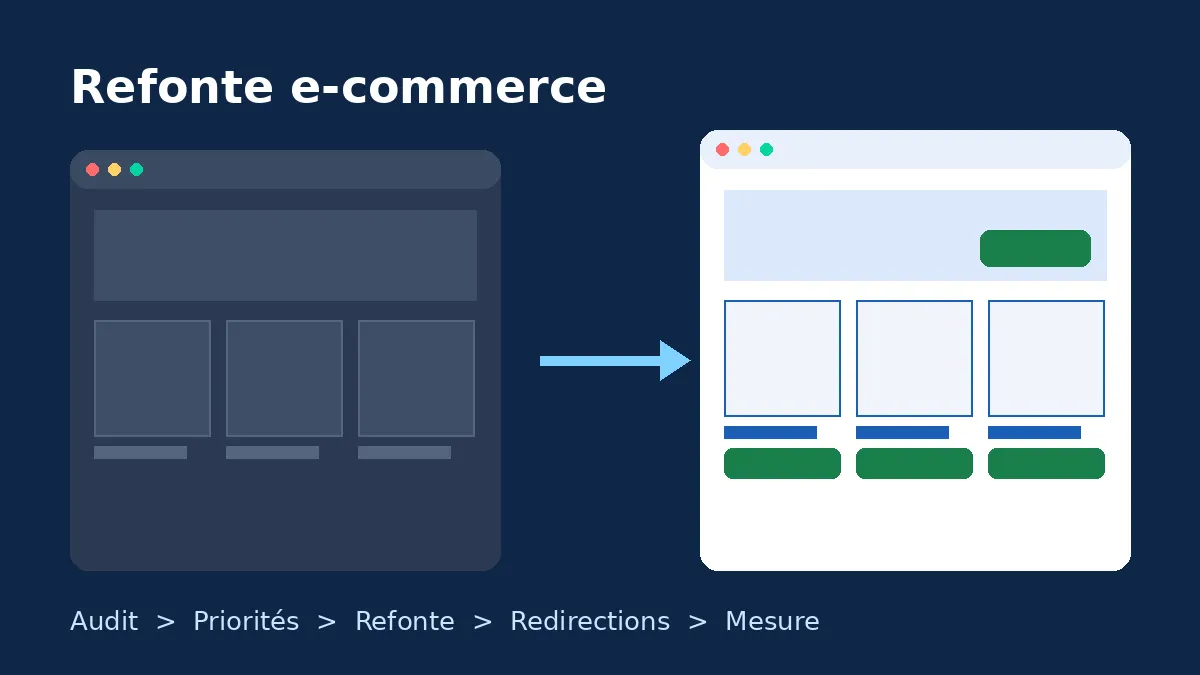
A successful ecommerce website redesign starts with data, not mockups. First find out what is holding sales back, then choose the right scope (a visual refresh, a full UX and technical redesign, or a replatform), protect your rankings with a redirect plan, and measure the results after launch.
Many store owners decide to redesign because the site "looks dated". That is a fair reason, but it is not enough on its own. A new storefront that changes URLs, navigation and checkout all at once can cost you organic traffic and revenue for weeks.
This guide is for founders, ecommerce managers and marketing teams planning to modernize a WooCommerce, Shopify or Webflow store. It walks through a seven-step process, the most common mistakes, and what to watch for on each platform.
Refresh, redesign or replatform: know which project you are running
"Redesign" can mean very different things. Naming the project type up front keeps budgets under control and avoids unnecessary risk.
| Project type | What changes | SEO risk | When it makes sense |
|---|---|---|---|
| Visual refresh | Colors, typography, imagery, a few templates | Low | The store converts well but the brand has moved on |
| UX and technical redesign | Theme, navigation, product pages, cart, checkout, performance | Medium, depending on URL changes | Conversion, speed or mobile usability are limiting sales |
| Redesign plus replatform | Everything, including the platform and often the URL structure | High | The current platform blocks growth (catalog size, B2B, international, cost) |
If you are moving from WooCommerce to Shopify or the other way round, also read our ecommerce migration SEO checklist. This article focuses on the overall redesign process.
Signs your online store actually needs a redesign
- Mobile conversion rate lags well behind desktop, even though most of your sessions come from phones.
- Core Web Vitals are failing in Search Console and one-off fixes no longer move the needle.
- Your theme is abandoned or heavily patched, so every WooCommerce or Shopify update breaks something.
- Marketing cannot ship anything alone: a banner or campaign page needs a developer.
- Your catalog has outgrown the navigation after new ranges, variants, B2B or international sales.
- The store is not accessible, even though you sell to EU consumers covered by the European Accessibility Act.
If none of these apply, continuous optimization usually beats a redesign on return on investment. Our ecommerce CRO framework explains how to run it.
The 7-step ecommerce redesign process
1. Audit before you design
The audit is your baseline. Cover four areas: commercial data (conversion rate by device, average order value, drop-off at each checkout step), SEO (pages that drive organic traffic, ranking keywords, backlinks), performance (Core Web Vitals) and usability (session recordings, user tests, customer service feedback).
Without reliable GA4 ecommerce tracking, you will never be able to prove the new store sells better. Fix tracking first.
2. Set measurable goals
Replace "a more modern site" with targets you can measure: lower checkout abandonment, a mobile LCP under 2.5 seconds, campaign pages marketing can publish without a developer. These goals will settle trade-offs throughout the project.
3. Prioritize where revenue leaks
Checkout is almost always first. According to the Baymard Institute, the average documented cart abandonment rate is 70.22%, and a large ecommerce site could increase its conversion rate by 35.26% by fixing checkout usability issues alone. Product pages come next, then category pages, then the homepage.
4. Decide between incremental and full redesign
Nielsen Norman Group advises choosing incremental changes over a major overhaul in most cases, because drastic changes are jarring for users and risky for the business. A full redesign is still justified when the technical foundation is worn out. Even then, ship in phases: checkout first, then product pages, then the rest.
5. Build SEO into the design phase
SEO is protected during design, not the night before launch. Keep existing URLs wherever possible. Preserve ranking content, title tags and Product structured data. If URLs must change, build a complete old-to-new URL map, as described in Google's site move documentation.
6. Test on a staging site
Test every purchase path on mobile and desktop, with every payment method and shipping option. Check transactional emails, taxes, discount codes, GA4 events and keyboard accessibility. Block indexing on staging, then remove that block at launch.
7. Launch, monitor, iterate
Pick a low-traffic window, well away from sales periods and Black Friday. Switch on 301 redirects, submit the new sitemap, then check 404s, index coverage and sales daily for at least four weeks. Google notes that a medium-sized site can take a few weeks for most pages to be reprocessed in its index.
WooCommerce, Shopify or Webflow: platform-specific points
WooCommerce: theme, blocks and extensions
Since WooCommerce 8.3, the Cart and Checkout blocks are the default on new installs, while many older stores still run the legacy shortcodes. A redesign is the right moment to switch to the block checkout, provided your payment gateway and any extensions that add checkout fields are compatible. Clean out unused plugins too: it is often the fastest performance win. Our WooCommerce development team runs these compatibility audits.
Shopify: move to a modern theme
On Shopify, a redesign usually means a new Online Store 2.0 theme. Horizon, the family of free themes Shopify launched with its Summer '25 Edition, is built on nested theme blocks that give far more layout freedom without code. Changing theme does not change product or collection URLs, which keeps SEO risk low. Apps embedded in the old theme do need to be reinstalled and leftover code removed.
Webflow: rethink the CMS before the visuals
On Webflow, redesign quality depends mostly on how your CMS collections and fields are structured. Model your content first (products, categories, articles, campaign pages), then design the templates. If your catalog outgrows Webflow Ecommerce, a hybrid setup with Shopify is worth considering, as covered in our headless commerce guide.
Mistakes that sink ecommerce redesigns
- Changing everything at once: domain, platform, URLs, design and catalog. If traffic drops, you cannot tell why.
- Skipping redirects, or sending every old page to the homepage, which Google can treat as soft 404s.
- Deleting content that ranks, such as category copy or buying guides, for the sake of a cleaner look.
- Launching during peak season with no time to fix issues.
- Not measuring beforehand: without a baseline, you cannot show a return on investment.
- Ignoring accessibility: contrast, keyboard navigation and labelled form fields belong in the brief.
Example: redesigning a fashion store in phases
Consider an illustrative case: a fashion brand with 400 products on WooCommerce, a five-year-old theme and around fifteen plugins. The audit shows mobile conversion far below desktop, a slow mobile LCP and a multi-page checkout.
- Phase 1: move to the block checkout, cut form fields, show shipping costs on the product page.
- Phase 2: a lightweight new theme, rebuilt product pages (gallery, size guide, reviews), redundant plugins removed.
- Phase 3: new navigation and richer category pages, keeping every existing URL.
Each phase is measured in GA4 before the next one starts. Because URLs stay the same, SEO risk is limited to content and tags, which are checked during QA.
Ecommerce redesign launch checklist
- Export every indexed URL and every URL with traffic or external links.
- Validate the 301 redirect map, with no redirect chains.
- Check title, meta description, canonical and hreflang tags on every template.
- Validate Product structured data with Google's Rich Results Test.
- Place a real order with each payment method.
- Verify GA4 events: view_item, add_to_cart, begin_checkout, purchase.
- Remove the staging noindex and submit the sitemap.
- Monitor 404s, indexing, Core Web Vitals and sales for four weeks.
Conclusion: a redesign is a revenue project, not just a visual one
A successful ecommerce website redesign improves numbers you can measure: conversion, speed, team autonomy and search visibility. Process matters more than platform: audit, prioritize where revenue leaks, protect SEO, ship in phases and measure.
Agence Web Tunis helps WooCommerce, Shopify and Webflow stores in Tunisia and Europe from audit to launch. Explore our website redesign service and ecommerce website development, or ask for an audit of your store before you start.