
Turn more of your visitors into customers
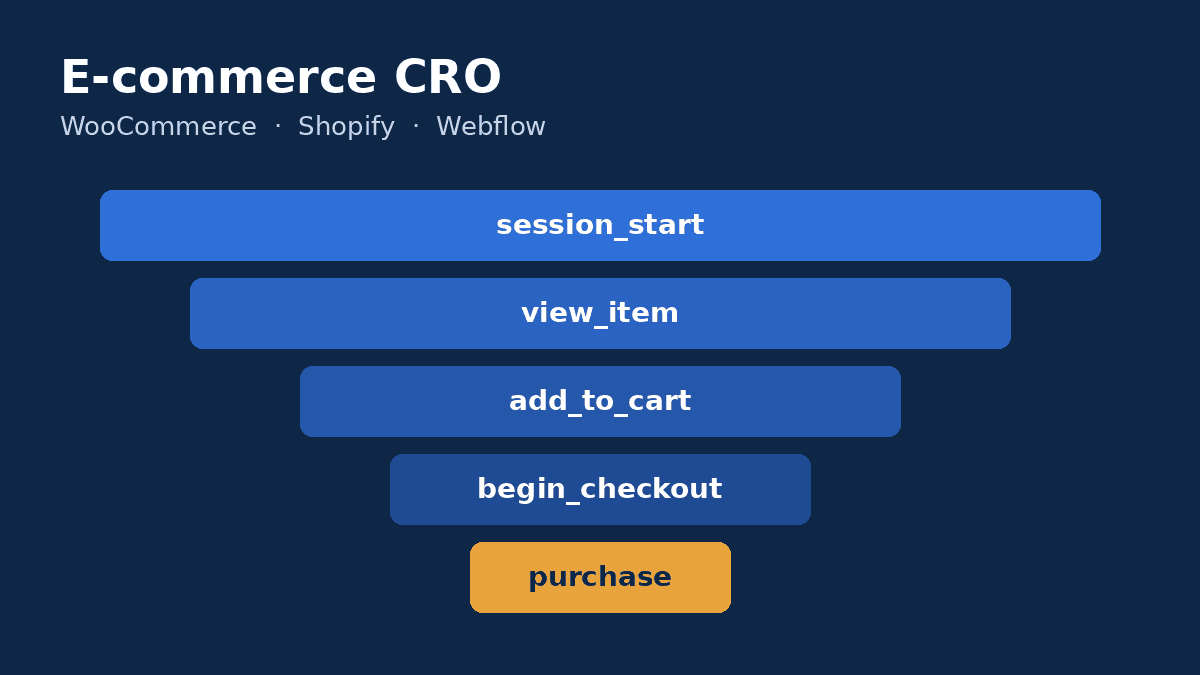
Ecommerce conversion rate optimization (CRO) is a repeatable process: track exactly where shoppers drop out, find out why, fix the biggest friction points first and validate each change with data. It works the same way on WooCommerce, Shopify and Webflow, and it usually pays back faster than buying more traffic.
When sales stall, the reflex is to raise the ad budget. But if 98 out of 100 visitors leave without buying, doubling traffic simply doubles the waste. Lifting conversion from 1% to 1.5%, on the other hand, grows revenue by 50% with the visitors you already pay for.
This guide is written for store owners, ecommerce managers and growth teams. It walks through the framework we use in our conversion audits: which metrics matter, which tools to use, where the quick wins usually hide, and how to test changes without breaking what already works.
What is ecommerce conversion rate?
Your ecommerce conversion rate is the number of orders divided by the number of sessions over a given period. A store with 10,000 sessions and 150 orders converts at 1.5%.
That headline number is useful, but it hides the real story. A proper diagnosis breaks the journey into micro-conversions: product page views, add-to-cart, checkout started, purchase. The losses, and therefore the opportunities, sit between those steps.
Why there is no universal "good" conversion rate
Conversion rates vary with industry, average order value, mobile share, brand awareness and traffic source. A beauty store selling $15 products cannot be benchmarked against a furniture brand selling $1,500 sofas. Your most reliable benchmark is your own history, broken down by channel and device. The goal is to beat your own baseline.
Step 1: Track your conversion funnel properly
Without clean data, optimization turns into a debate of opinions. Start by checking that ecommerce tracking is complete. Google's GA4 ecommerce documentation lists the recommended events: view_item, add_to_cart, begin_checkout, add_shipping_info, add_payment_info and purchase.
| Platform | How tracking is usually set up | What to watch out for |
|---|---|---|
| WooCommerce | Official Google Analytics extension or Google Tag Manager | Custom checkouts and offline payment methods often break the purchase event |
| Shopify | Google & YouTube app or custom pixels | Double counting when several apps fire the same events |
| Webflow | Native GA4 integration, ecommerce events to complete | Custom interactions such as filters and variants often need extra code |
Once the data is reliable, build a funnel exploration in GA4 and segment it by device and traffic source. You will see at a glance whether the leak is on product pages, in the cart or at checkout, and whether mobile users are hit hardest.
Step 2: Find out why shoppers leave
Analytics tells you where people drop off. It does not tell you why. For that, you need qualitative insight.
- Session recordings and heatmaps: a free tool such as Microsoft Clarity surfaces rage clicks, ignored sections and abandoned form fields.
- On-site search logs: zero-result queries reveal missing or poorly named products.
- Customer support tickets: questions that keep coming back point to information missing from your product pages.
- Exit surveys: one question on checkout exit ("What stopped you today?") often uncovers a major blocker.
Industry research gives useful context too. Baymard Institute's compilation of 50 cart abandonment studies puts the documented average at 70.22%. Among US shoppers surveyed, excluding those who were just browsing, 40% blamed extra costs such as shipping and fees, 19% did not trust the site with their card details and 18% were put off by forced account creation.
Step 3: Prioritize your CRO ideas
A conversion audit quickly produces thirty ideas, and they are not equal. We score each hypothesis from 1 to 5 on three criteria: expected impact, strength of evidence and ease of implementation.
| Hypothesis | Impact | Evidence | Ease | Priority |
|---|---|---|---|---|
| Show shipping costs on the product page | 4 | 5 | 5 | High |
| Enable guest checkout | 4 | 4 | 5 | High |
| Add a size guide to apparel pages | 3 | 4 | 3 | Medium |
| Redesign the entire homepage | 2 | 1 | 1 | Low |
The strongest hypotheses are backed by something you observed: an unusual drop-off at one step, a session recording, a recurring customer question.
Where conversion gains usually come from
Product pages
This is where the buying decision happens. A high-converting product page answers questions before they are asked: sharp photos from several angles, visible price and stock, delivery time and cost, return policy, precise specifications and customer reviews. Clear, complete pages also help search engines, as our guide to product schema for ecommerce explains.
Cart and checkout
Every unnecessary field, late surprise fee and unexpected redirect costs orders. The highest-return fixes are almost always the same: guest checkout, a short form, costs shown early and payment methods that match your market. We cover them in detail in our guide to WooCommerce checkout optimization.
Speed and mobile experience
On a phone, a product image that takes seconds to appear or a layout that jumps under the shopper's thumb drives people away. Core Web Vitals (LCP, INP and CLS) are good proxies for that experience. Check your key templates with PageSpeed Insights and see our guide on how to speed up WooCommerce.
Trust signals
A lesser-known store has to prove it is legitimate: full contact details, a clear returns policy, verified reviews and a visible phone number. Showing accepted payment methods and delivery times by region early in the journey removes a lot of hesitation.
Accessibility
Tiny tap targets, low contrast and forms that cannot be completed with a keyboard shut out real customers. Following WCAG improves usability for everyone, and it is now a legal requirement for many stores selling into the EU, as covered in our European Accessibility Act guide.
Step 4: Test before you roll out
An A/B test shows your current version and a variant to real visitors so you can measure the effect of a change. Each platform now has an option:
- Shopify: Rollouts, announced in March 2026, lets merchants schedule and A/B test theme changes from the admin on Basic plans and above, according to the Shopify Help Center.
- Webflow: Webflow Optimize offers A/B testing, audience personalization and AI-driven optimization.
- WooCommerce: no native tool, but third-party A/B testing services or server-side tests built by a developer.
Mind your sample size. A store taking twenty orders a week will not get a reliable answer in a few days. In that case, ship the obvious fixes straight away (a bug, a hidden fee) and save formal tests for uncertain decisions on your highest-traffic pages.
Example: a fashion store losing buyers at checkout
Consider an illustrative case: a WooCommerce fashion store where most traffic is mobile. The GA4 funnel shows a healthy add-to-cart rate but a sharp drop between cart and completed order. Clarity recordings reveal that shoppers only discover shipping fees on the final step, and that the form forces them to create an account.
The action plan: show shipping costs and delivery times on every product page, enable guest checkout, cut the form down to essential fields and add a size guide to reduce hesitation. Each change is monitored in the funnel over several weeks. The size of the uplift depends on the starting point and traffic volume, but these fixes target the most widely documented causes of abandonment.
Common CRO mistakes to avoid
- Copying a competitor without knowing whether their choices actually work.
- Changing everything at once in a redesign, so you never know what helped or hurt.
- Stacking popups and apps that slow the site and get in the way on mobile.
- Stopping a test too early because the first few days look promising.
- Optimizing the rate alone and ignoring average order value and margin.
Conclusion: conversion is an ongoing discipline
CRO is not a one-off trick. It is a method: measure the funnel, understand drop-offs, prioritize hypotheses, test, then roll out. Applied consistently, it makes every visitor you already attract more valuable, whether your store runs on WooCommerce, Shopify or Webflow.
Our team runs conversion audits, optimizes product pages and checkouts, and handles ecommerce redesigns without losing SEO. Explore our ecommerce development services and WooCommerce development, or get in touch for a free first review of your store.