
Ecommerce Structured Data: A Practical Product Schema Guide for WooCommerce, Shopify and Webflow
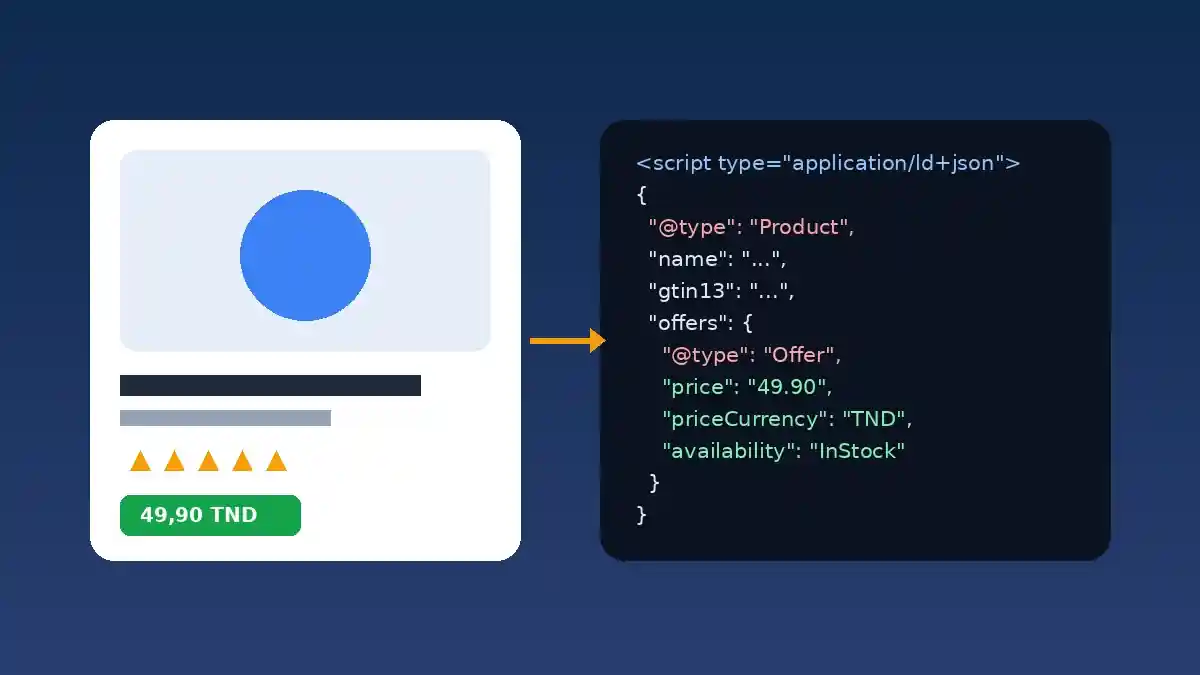
Ecommerce structured data is machine-readable code, usually JSON-LD, that tells Google exactly what each product is: its name, images, price, currency, stock status, reviews, shipping and returns. Implemented properly, Product schema makes your pages eligible for rich results and merchant listings, so your products stand out and earn more clicks in search.
Picture two stores selling the same item at the same price. In Google, one shows a plain blue link. The other shows its price, "In stock", a star rating and delivery costs. The gap rarely comes down to copy or backlinks. Most of the time, it comes down to markup.
This guide is for store owners, marketing teams and startups running WooCommerce, Shopify or Webflow. It covers what Google actually expects, the errors we see most often in audits, and how to fix your markup platform by platform.
Why structured data matters so much for online stores
Google can read a product page, but it still has to guess which number is the price, which label means "in stock" and which stars belong to reviews. Markup removes the guesswork and delivers three practical benefits:
- More visibility: price, availability, rating and shipping can appear directly in results, in the Shopping tab and in Google Images.
- Higher click-through rates: shoppers who see price and stock before clicking arrive better qualified.
- Consistent data: search engines and AI shopping assistants that compare products rely on clean, structured information rather than guessing from page text.
Markup alone will not push you up the rankings. But without it, your products are shut out of most of the enhanced displays Google reserves for merchants.
Product snippets vs merchant listings: what Google distinguishes
Google uses the same Product type for two families of search features, explained in its introduction to Product structured data:
| Feature | Which pages | What it highlights |
|---|---|---|
| Product snippets | Pages where people cannot buy directly: reviews, comparisons, buying guides | Ratings, reviews, pros and cons, indicative price |
| Merchant listings | Pages where customers can buy the product from you | Price, availability, shipping, returns, sizes, variants |
A store's product page should therefore target merchant listings first. The good news: complete merchant listing markup also makes the page eligible for product snippets. Google also recommends pairing on-page markup with a Google Merchant Center feed to maximize eligibility.
The Product schema properties you need
Required properties
According to Google's merchant listing documentation, three things are mandatory:
name: the product name;image: one or more crawlable images, ideally high resolution and in several aspect ratios (16:9, 4:3 and 1:1);offers: anOfferobject with at least apriceabove zero and apriceCurrencyin ISO 4217 format, such asEURorUSD.
Note that merchant listings require Offer, not AggregateOffer, because you must be the seller.
Recommended properties that make the difference
- Identifiers:
gtin13(EAN),gtin12(UPC) orisbn, as digits only, plussku,mpnandbrand. - Availability:
availabilitywith a value such asInStock,OutOfStockorPreOrder. - Price validity:
priceValidUntil. A date in the past can stop the listing from showing, a classic leftover from a sale. - Reviews:
aggregateRatingandreview, only when they match real reviews visible on the page. - Shipping and returns:
shippingDetailsandhasMerchantReturnPolicy. - Variants: sizes, colors and volumes, which Google can group under one parent product.
A JSON-LD example for a product page
Here is a simplified example for a serum sold by an online skincare store. Every value must match exactly what the shopper sees on the page.
{
  "@context": "https://schema.org",
  "@type": "Product",
  "name": "Hyaluronic Acid Hydrating Serum 30 ml",
  "image": ["https://example.com/images/serum-1x1.jpg", "https://example.com/images/serum-16x9.jpg"],
  "sku": "SER-HYA-30",
  "gtin13": "6191234567890",
  "brand": { "@type": "Brand", "name": "Example Brand" },
  "offers": {
    "@type": "Offer",
    "url": "https://example.com/products/hydrating-serum/",
    "price": "24.90",
    "priceCurrency": "EUR",
    "availability": "https://schema.org/InStock",
    "itemCondition": "https://schema.org/NewCondition"
  }
}
The barcode above is made up for illustration. Always use the real barcode assigned to the product, never an invented number.
Shipping and returns: declare them once
Many stores repeat shipping and return terms inside every product's markup. Google now recommends the opposite: declare a site-wide policy in your Organization markup, then only add product-level markup for exceptions, such as a bulky item with higher delivery costs or a non-returnable product. The details are in the MerchantReturnPolicy documentation, and Google added more ways to share these policies in late 2025.
If you would rather not touch code, these policies can also be set in Search Console or Merchant Center. What matters most is avoiding contradictions: a 14-day return window in your terms and 30 days in your markup is exactly the kind of inconsistency Google can spot.
Implementing Product schema on WooCommerce, Shopify and Webflow
WooCommerce
WooCommerce outputs basic Product markup out of the box (name, price, stock, reviews). Since version 9.2, a native GTIN field sits in each product's Inventory tab: fill it in every time. SEO plugins such as Yoast or Rank Math enrich this markup, but they can also create duplicates if your theme or a reviews plugin injects its own block. The rule is simple: one complete Product block per page. If your product pages are also slow, our guide to speeding up WooCommerce covers the fixes.
Shopify
Recent Shopify themes use the Liquid structured_data filter, which outputs Product markup, or ProductGroup for products with variants. Depending on your theme, useful details such as the barcode, SKU or average rating may be missing. Reviews apps often inject their own aggregateRating, so check the page source to avoid two conflicting ratings. Older or heavily customized themes sometimes do not call the filter at all.
Webflow
In Webflow, markup usually lives in the custom code of the product template page. In the template's page settings, add a JSON-LD script and bind each property to CMS fields (name, price, image, SKU). Add any missing fields to the CMS, such as GTIN or brand, so every product gets complete and unique markup. Test on the staging domain first, then on production.
The 7 mistakes we find most often
- Price mismatch between page and markup, typically after a sale or a tax change.
- Stock stuck on
InStockwhile the product is sold out. - Expired
priceValidUntilleft behind after a promotion. - Two Product blocks on the same page, one from the theme and one from a plugin.
- Fake or hidden reviews: a marked-up rating must match reviews actually displayed.
- Missing or wrong GTIN, even though it is the most reliable way to match your product with other sellers.
- Ambiguous currency: a store showing prices in several currencies must mark up the currency actually charged on that URL.
Category pages need a different approach and should not carry individual Product markup for every item in the grid. Our ecommerce category page SEO guide explains how to handle them.
Example: a skincare store with 400 products
Take an illustrative case: a WooCommerce store with 400 products, an SEO plugin, a premium theme and a reviews plugin. An audit finds three structured data blocks on every product page, sale prices not updated in the markup and no GTINs at all.
A typical action plan:
- Turn off the theme's markup and keep a single source, the SEO plugin.
- Import supplier EAN codes into WooCommerce's native GTIN field.
- Declare the shipping and return policy once, at organization level.
- Test a sample of product pages, then monitor Search Console reports over several weeks.
Results depend on the market and competition, but a store with clean, consistent markup gives Google everything it needs to show its products as rich results.
How to test and monitor your markup
- Google Rich Results Test: checks a URL's eligibility for rich results and flags blocking errors.
- Schema Markup Validator: checks Schema.org syntax, including properties Google does not use.
- Search Console: the Merchant listings and Product snippets reports list issues across the whole site.
- Page source: search for
application/ld+jsonto count the blocks. Testing tools do not always flag duplicates.
Finally, follow Google's general structured data guidelines: markup must describe the visible content of the page and nothing more.
Ecommerce structured data checklist
- One complete Product block per product page.
- Name, images, a price above zero and an ISO currency code.
- Price and availability synced automatically with the catalog.
- GTIN, SKU and brand included whenever they exist.
- Reviews marked up only when real and visible.
- Shipping and return policy declared at organization level.
- Variants grouped correctly.
- Re-tested after every theme, plugin or app change.
Conclusion: a technical fix with a high return
Ecommerce structured data is one of the best effort-to-impact optimizations available to an online store. A few days of work is often enough to make an entire catalog eligible for rich results, without switching platforms or rewriting product pages. The key is consistency between what shoppers see and what Google reads.
Our team audits and fixes markup for WooCommerce, Shopify and Webflow stores for clients in Europe, North America and Tunisia. Explore our SEO services, our WooCommerce development and our ecommerce website development, or send us your store URL for a free structured data review.