
Webflow Ecommerce in 2026: Features, Limitations and Pricing Before You Build Your Store
Webflow Ecommerce is a strong fit for brands that sell a small, carefully curated catalog backed by rich content and a fully custom design. It becomes a constraint once your catalog grows, when you need to sell in several currencies or languages, or when neither Stripe nor PayPal is available to your business.
Startups and marketing teams love Webflow because it lets them design a highly custom site visually, without fighting a theme. But an online store is not a marketing site. Plan pricing, item caps, payment providers and tax handling will decide whether your store is profitable far more than how good the pages look.
This guide covers what Webflow Ecommerce can actually do in 2026, the limitations Webflow documents itself, and the situations where Shopify, WooCommerce or a hybrid setup is the smarter choice.
Where Webflow Ecommerce shines
Webflow's biggest advantage is design freedom. Product pages, category pages, the cart and the checkout are all built in the same visual editor as the rest of the site. There is no theme to override and no stack of plugins needed to get a layout exactly right.
The second advantage is the link between content and products. Products live in the Webflow CMS and can be connected to buying guides, lookbooks and blog posts. For brands that sell through storytelling, such as beauty, fashion, craft or furniture, that is a real lever for both conversions and organic traffic.
Finally, hosting, SSL and platform updates are handled by Webflow. There are no plugins to patch and no security holes from a forgotten extension, which keeps maintenance costs lower than a poorly maintained WordPress install.
Webflow Ecommerce pricing and plans in 2026
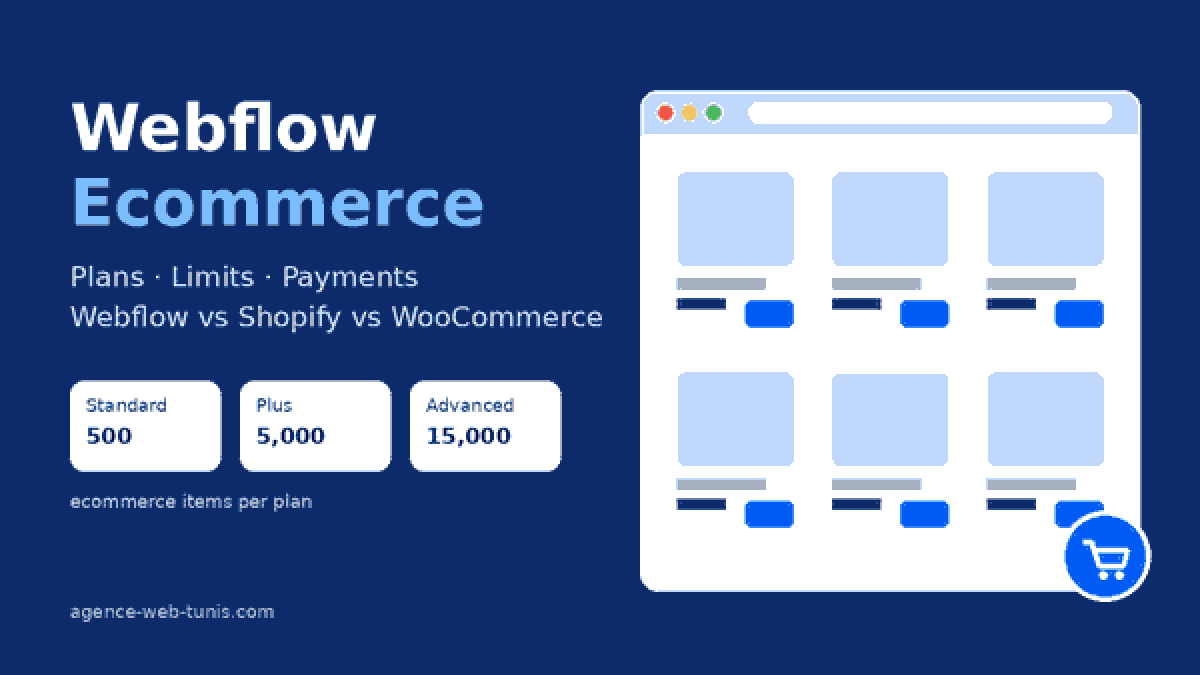
Webflow offers three Ecommerce plans. The figures below come from Webflow's official pricing page as of October 2026: USD per site per month, billed yearly, excluding taxes.
| Plan | Price (billed yearly) | Ecommerce items | Webflow transaction fee | Staff accounts |
|---|---|---|---|---|
| Standard | $29/month | 500 | 2% | 3 |
| Plus | $74/month | 5,000 | 0% | 10 |
| Advanced | $212/month | 15,000 | 0% | 15 |
The 2% fee on Standard comes on top of Stripe or PayPal processing fees. Once you sell more than roughly $2,250 a month, that 2% costs more than the $45 difference to Plus, so run the numbers before you pick a plan.
How the item limit really works
This is where most store owners get caught out. According to Webflow's documentation on product options and variants, every variant counts toward your plan's item limit. Each product supports up to 3 option sets and 50 variants.
A practical example: a T-shirt offered in 5 sizes and 4 colors creates 20 variants plus the product itself, so about 21 items. On Standard's 500-item cap, that means roughly 23 T-shirts of that kind. A fashion brand with 150 styles needs Plus from day one.
Webflow Ecommerce limitations to check before you commit
Payments: Stripe and PayPal only
Webflow's native checkout works with two providers only, Stripe and PayPal, as stated in Webflow's payment provider guide. Apple Pay and Google Pay run through Stripe. If neither provider supports your country, Webflow points to incorporating a US company through Stripe Atlas, which is a heavy lift for most small businesses.
One currency per store
A Webflow store runs on a single currency. Selling in both euros and pounds, for example, requires workarounds or a different platform.
Localization does not cover products
Webflow's localization overview is explicit: Localization does not support Ecommerce plan features, and products, categories and ecommerce pages cannot be localized. For a multilingual store, that is often a dealbreaker.
No more native customer accounts or subscriptions
Webflow retired User Accounts on January 29, 2026, according to its official sunset notice. Native member areas and subscription management are gone, so customer order history or a monthly subscription box now depends on a third-party tool.
Automatic tax in a handful of markets
Automatic tax calculation covers the United States, Canada, the European Union and Australia, per Webflow's tax documentation. Everywhere else, rates must be configured manually.
Webflow vs Shopify vs WooCommerce: which store fits which platform?
| Criterion | Webflow Ecommerce | Shopify | WooCommerce |
|---|---|---|---|
| Design freedom | Very high, no code required | High, through themes and Liquid | High, depends on theme and development |
| Catalog size | Capped (500 to 15,000 items, variants included) | Built for large catalogs | Mostly limited by hosting |
| Payment options | Stripe and PayPal | Shopify Payments plus many gateways | Any gateway with an extension |
| Multilingual and multi-currency | Products not localizable, one currency | Supported natively | Through extensions |
| Maintenance | Handled by Webflow | Handled by Shopify | Your team or your agency |
| Best for | Niche brand, short catalog, content-led | Growing store, international sales | Custom requirements, specific local markets |
For a deeper comparison, read our guides on Shopify vs WooCommerce and Webflow vs WordPress, which also cover marketing sites.
The hybrid route: Webflow design, Shopify engine
Many brands combine both: Webflow for the site, content and storytelling, Shopify for the catalog, inventory, taxes and checkout. Webflow describes this approach in its own guide to integrating the Shopify Storefront API: products are synced into the Webflow CMS while checkout stays on Shopify.
This setup sidesteps most of the limits above, but it is real development work: syncing, error handling and API version management. It makes sense for a brand that invests heavily in its image and whose catalog has outgrown what Webflow handles alone.
Selling in markets Stripe does not cover
Payment coverage is the question to answer first. Tunisia, for example, is not on Stripe's list of supported countries, and Webflow's checkout cannot use local gateways such as Konnect or Flouci, or cash on delivery. In markets like this, WooCommerce with a local gateway is the pragmatic choice, as explained in our comparison of online payment solutions in Tunisia.
The reverse is also true: a European or North American brand selling in its home market can use Webflow Ecommerce without friction, even if its design and development team works from another country. What matters is where the merchant and its customers are, not where the store is built.
Checklist before you launch a Webflow store
- Count your items including every variant, then project that number two years out.
- Confirm that Stripe or PayPal supports your legal entity and your customers.
- List your selling languages and currencies: can you live with one product language and one currency?
- Decide whether you need customer accounts, subscriptions or a loyalty program.
- Compare total cost: yearly plan, transaction fees, third-party tools and development.
- Plan your exit: if you replatform later, follow our ecommerce migration SEO checklist.
Conclusion: a great tool within its lane
Webflow Ecommerce is neither a prettier Shopify nor a toy. It is an excellent solution for a short catalog, a premium brand and an ambitious content strategy, in a market served by Stripe or PayPal. Outside that lane, Shopify, WooCommerce or a hybrid Webflow and Shopify build will save you an expensive rebuild two years from now.
Our team designs and develops Webflow, Shopify and WooCommerce stores for clients in Europe and Tunisia, and helps you choose the right platform before a single line of code is written. Explore our ecommerce development services or tell us about your project.