
Ecommerce product reviews: collect, display and convert on WooCommerce, Shopify and Webflow
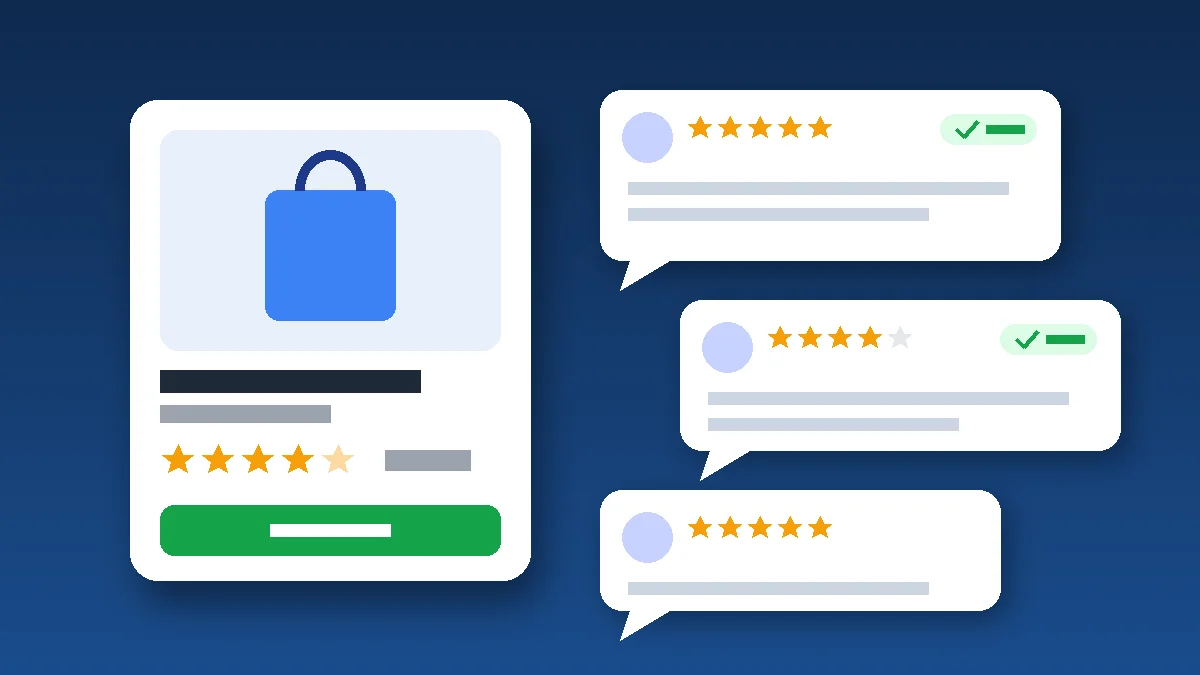
Ecommerce product reviews are one of the highest-return conversion levers an online store has: the first five reviews on a product already make a large difference to purchase likelihood. To get the full benefit, you need to request them at the right moment, show them where shoppers hesitate, mark them up for Google and follow the rules on verified reviews.
A first-time visitor has never heard of your brand. They cannot touch the product or ask a sales assistant. Reviews from other buyers fill that gap: they answer the questions your product page leaves open (does it run small? did it arrive on time?) and prove that real people bought before them.
This guide is for store owners, marketing teams and startups selling on WooCommerce, Shopify or Webflow. It covers collection, display, SEO and compliance, with the specific settings for each platform.
Why product reviews drive sales: what the data says
The most widely cited research on the topic comes from Northwestern University's Spiegel Research Center (2017). Its key findings are still a practical guide for any review strategy:
- The first five reviews matter most: a product with five reviews is 270% more likely to be purchased than one with none. After that, the marginal benefit drops quickly.
- The effect is stronger on expensive items: conversion rose 380% for a higher-priced product versus 190% for a lower-priced one.
- Perfect scores look suspicious: purchase likelihood typically peaks between 4.0 and 4.7 stars and declines as ratings approach 5.0.
- Verified buyer badges help: displaying one improves the odds of purchase by 15%.
The takeaway: don't chase hundreds of reviews on your bestsellers. Focus on getting the first few reviews on as many products as possible, starting with your higher-ticket items. And don't panic about the odd 3-star review; it makes the rest believable.
Step 1: Ask for reviews at the right time
Trigger the request after delivery, not after checkout
Customers can't judge a product they haven't received. Send the review request a few days after delivery rather than at payment. Match the delay to the product: two or three days for an accessory, one to two weeks for skincare or anything that needs to be used before it can be judged.
Make leaving a review effortless
- A direct link to the review form for the product they bought, with no login required.
- Star rating first, written review second, with an option to upload a photo.
- A form that works well on a phone, because that is where most people will open the email.
- One reminder if they haven't responded, and no more.
Incentives are fine, as long as they don't depend on sentiment
Thanking customers with a discount code for leaving a review is acceptable if the reward is given regardless of what they write and the incentive is disclosed. Offering a gift in exchange for a "5-star review" is prohibited in both the US and the EU (see the compliance section below).
Step 2: Show reviews where shoppers hesitate
Reviews buried at the bottom of the page do little. Put social proof at the points in the journey where doubt creeps in:
| Placement | What to show | Goal |
|---|---|---|
| Category and search results | Average rating and review count under each product | Help shoppers compare and click |
| Top of the product page | Stars and review count, linking down to the reviews section | Build trust above the fold |
| Reviews section | Rating breakdown, filters (with photos, by size), sorting by relevance or date | Answer specific objections |
| Cart and checkout | A short reminder of the store's overall rating | Reduce last-minute abandonment |
| Emails and ads | Real review excerpts and product ratings | Earn trust before the click |
A few UX rules that consistently pay off: show negative reviews alongside your replies, display the date of every review, surface reviews that mention fit, quality or delivery, and prioritise photo reviews on mobile. These fit neatly into our ecommerce conversion rate optimization framework.
Step 3: Moderate fairly and reply to negative reviews
Moderation exists to remove spam, abuse and personal data, not unfavourable opinions. Deleting negative reviews distorts your store's reputation and can amount to a deceptive practice.
Reply publicly instead, in a few lines: thank the customer, acknowledge the issue and explain what you did about it (exchange, refund, an updated product description). A well-handled bad review often reassures more than a wall of perfect ones. It is also free product feedback: if several customers say a jacket runs small, add that to the size guide.
Step 4: Product reviews and SEO, earning stars in Google
Product markup with AggregateRating and Review
Product reviews can appear as star ratings in search results when the page includes Product structured data with aggregateRating and/or review. According to Google's review snippet documentation, any reviews you mark up must be visible to users on that page. Our Product schema guide for WooCommerce, Shopify and Webflow walks through the implementation.
Product reviews vs store reviews
Google does not show stars for reviews a business publishes about itself using LocalBusiness or Organization markup, even through an embedded third-party widget. So the store-level testimonials on your homepage won't earn stars; product reviews marked up on product pages will.
Ratings in Google Shopping
To show stars in Shopping ads and free listings, Google Merchant Center runs the Product Ratings programme. Among other requirements, you need at least 50 reviews across all your products and must update your reviews feed at least monthly. If your catalogue is already in Merchant Center, see our Google Merchant Center product feed guide.
As a bonus, review text adds the language your customers actually use to the page, which helps with long-tail searches.
Review compliance: the rules you need to know
In the United States, the FTC's final rule on fake reviews and testimonials, in force since October 2024, bans fake reviews (including AI-generated ones), incentives conditioned on positive sentiment, suppression of negative reviews through threats or intimidation, and claiming a review section shows all reviews when negative ones have been hidden. The FTC can seek civil penalties for knowing violations.
If you sell to customers in the European Union, the EU Omnibus Directive (2019/2161), which has applied since 28 May 2022, requires you to tell shoppers whether and how you check that reviews come from people who actually bought or used the product. It also bans claiming reviews are verified without reasonable checks, and buying or misrepresenting reviews.
In practice: add a short note next to your reviews ("Reviews are collected from customers who ordered on our site and moderated according to our review policy") and publish a review policy page. This is general information, not legal advice; have a lawyer check your setup if you are unsure.
Platform settings: WooCommerce, Shopify and Webflow
WooCommerce
WooCommerce handles reviews natively. Under WooCommerce > Settings > Products, the official documentation lists five options: enable reviews, show the "verified owner" label, allow reviews only from verified owners, enable star ratings and make ratings required. We recommend turning on the verified label and required ratings. Automated request emails, photo reviews and a Google Shopping reviews feed need a dedicated extension. Also check that your theme or SEO plugin outputs aggregateRating markup correctly.
Shopify
Shopify's free Product Reviews app was removed on May 6, 2024, so stores now rely on a third-party app from the Shopify App Store. Choose one against four criteria: automated post-delivery requests, photo reviews, structured data that doesn't duplicate your theme's markup, and a Google Shopping export. Watch the script weight too; a heavy review widget can slow down every product page.
Webflow
Webflow Ecommerce has no built-in review system; it is still an open request on Webflow's official wishlist. You have two options: a third-party widget that supports Webflow, or a "Reviews" CMS collection linked to products through a reference field, fed by a form and an automation with a moderation step. The CMS route is better for SEO because reviews render as HTML and can be marked up.
Example: a European apparel store on Shopify
Illustrative case: a Shopify fashion store with 300 products has reviews on only its top 15 items. Every other product page lacks social proof, and support keeps answering the same sizing questions by email.
A typical action plan:
- Install a review app that triggers requests seven days after delivery, with a direct link to the purchased product.
- Prioritise higher-priced products and those with zero reviews, with a single reminder.
- Add a "Did it fit?" question to the form and show the answer summary near the size selector.
- Display stars on collection pages and at the top of product pages, and reply to every negative review.
- Add a review policy note and validate the markup with Google's Rich Results Test.
Results depend on the niche and traffic, but this setup gets the first reviews onto a large share of the catalogue quickly, which is exactly where they have the most impact.
Ecommerce product reviews checklist
- Review request sent after delivery, with a direct link and one reminder.
- Target: at least five reviews on every important product.
- Stars visible on category pages and at the top of product pages.
- Negative reviews published, with a reply from the store.
- Verified buyer badge and a note explaining how reviews are checked.
- No incentives tied to positive ratings.
- Product markup with aggregateRating, on reviews visible on the page.
- Review widget tested for mobile performance.
Conclusion: make reviews a process, not luck
Reviews don't appear because customers remember to leave them. A well-timed request, placement at moments of doubt, clean markup and a transparent policy are enough to turn happy customers into a lasting sales asset, whether you run WooCommerce, Shopify or Webflow.
Our team builds and optimises online stores for clients in Europe and North Africa, covering review setup, structured data, performance and conversion. Explore our WooCommerce development services and our ecommerce website development offer, or send us your store URL for a free audit.